When you create a Custom Conversion in your Meta (Facebook Ads) Business Manager, it may not immediately appear in your Catchr Looker Studio data source. This behavior is expected because Looker Studio does not automatically refresh the field list after a new conversion is created.
Below are the two key checks to ensure your Custom Conversion becomes visible:
Meta’s API only returns Custom Conversions when the request is made for one ad account at a time.
If your Looker Studio data source includes multiple accounts, Meta only returns generic fields—which means Custom Conversions will not appear.
 Solution:
Make sure the data source is configured with a single ad account.
Even when using a single-account data source, newly created Custom Conversions will not show until you manually refresh the field list.
How to fix it:
In your Looker Studio data source settings:
Edit your Looker Studio Facebook Ads data source.
Click Refresh Fields.
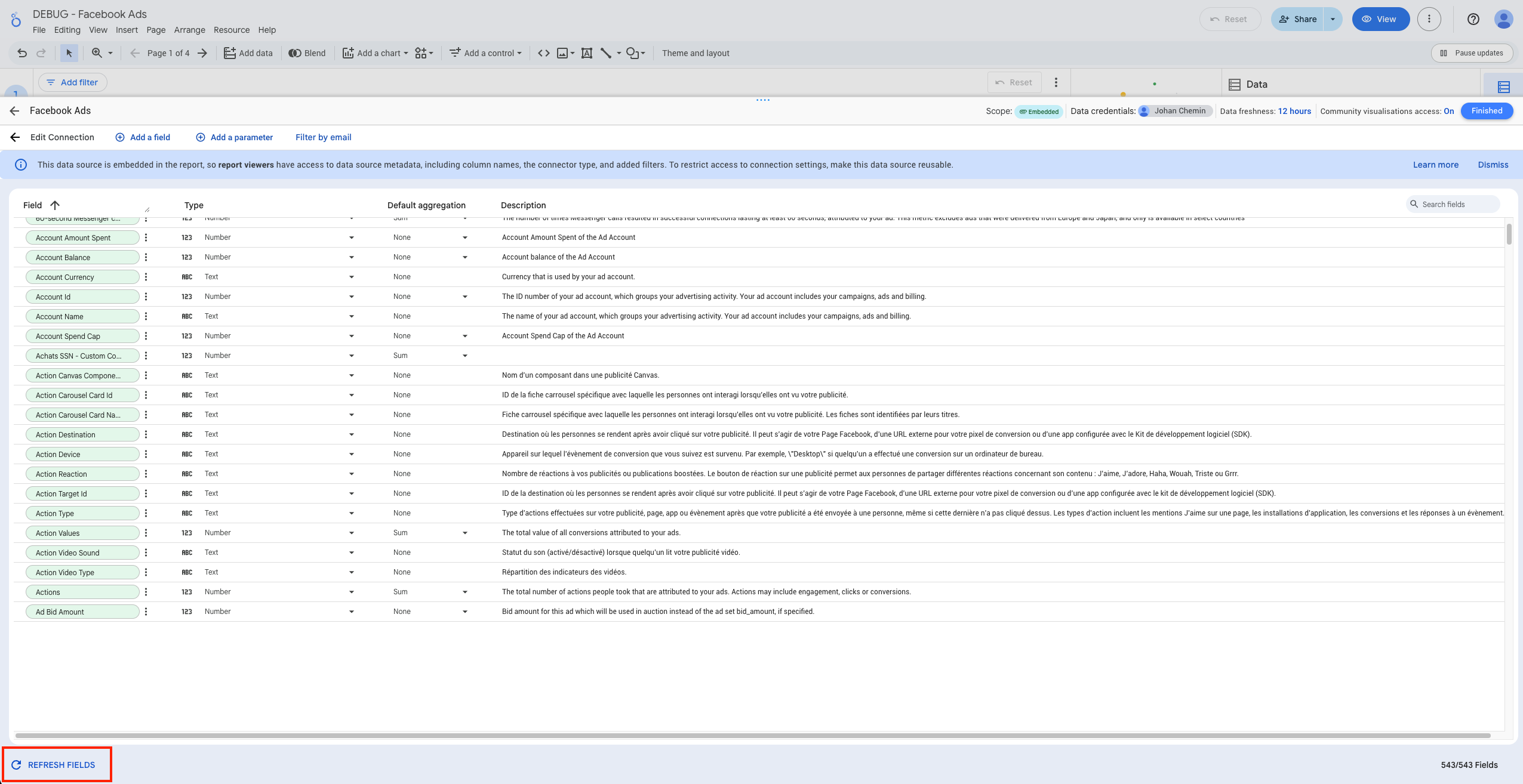
The list of new fields should be listed in a pop-up. Accept it and go back to your report.
After refreshing, your Custom Conversion should appear in the field list.
In Catchr connectors, all Meta Custom Conversions are displayed with the suffix:
“– Custom Conversion”