To connect Shopify to Catchr, your teammate (Staff user) must be able to:
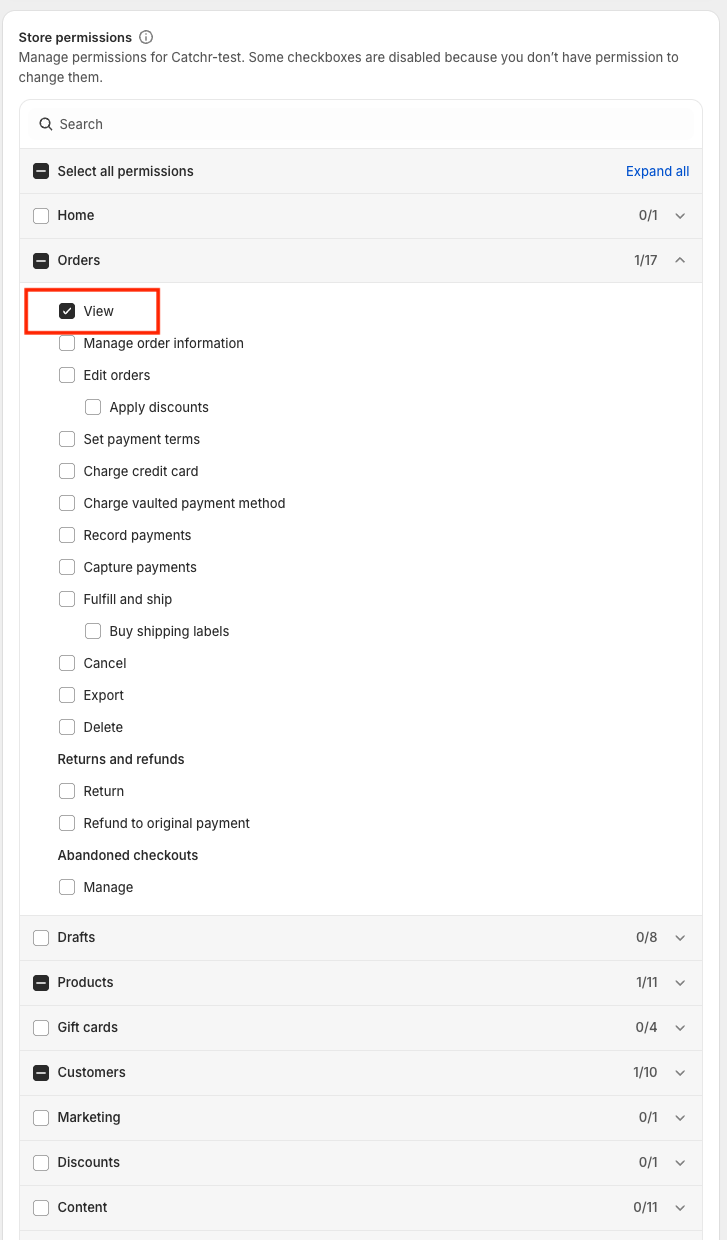
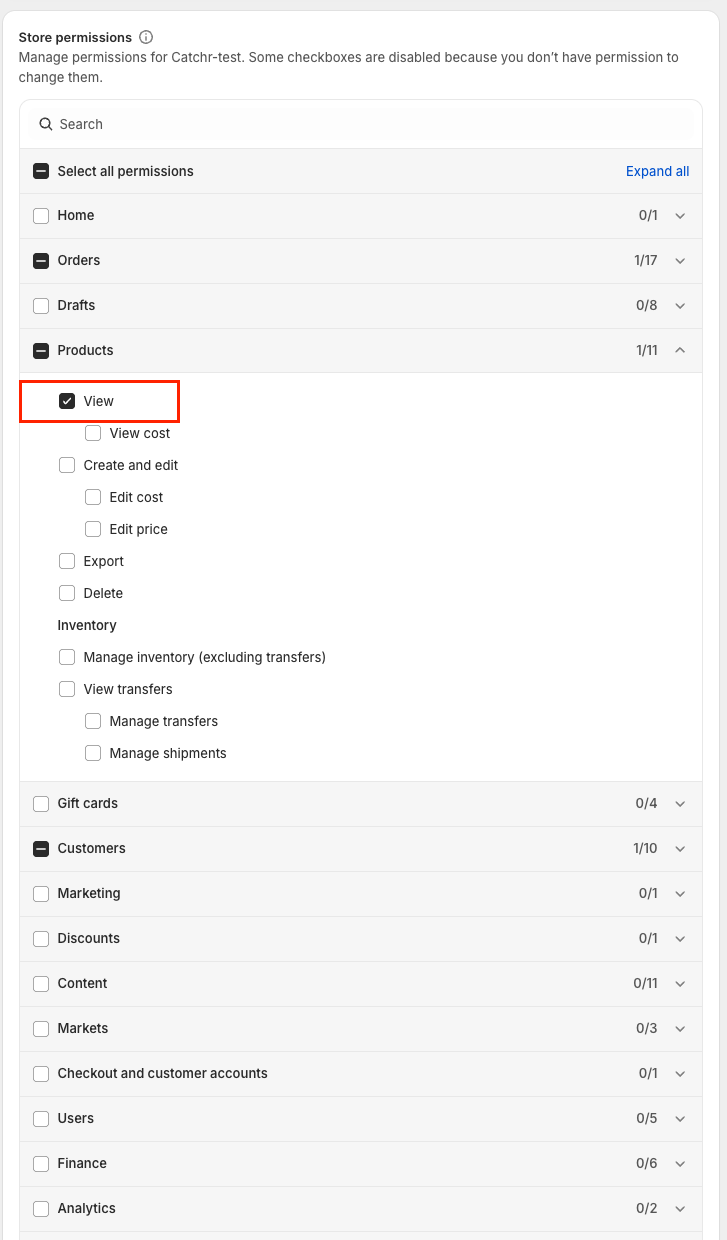
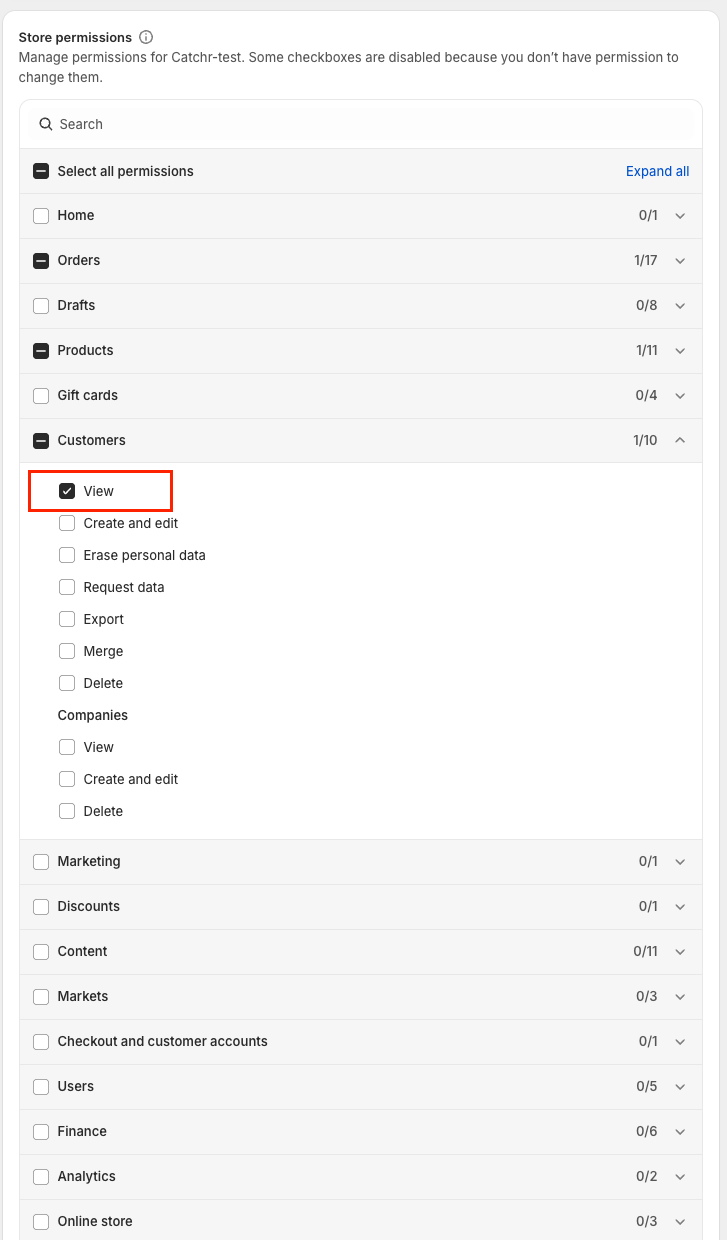
Access store data (Orders / Products / Customers in “View” mode), and
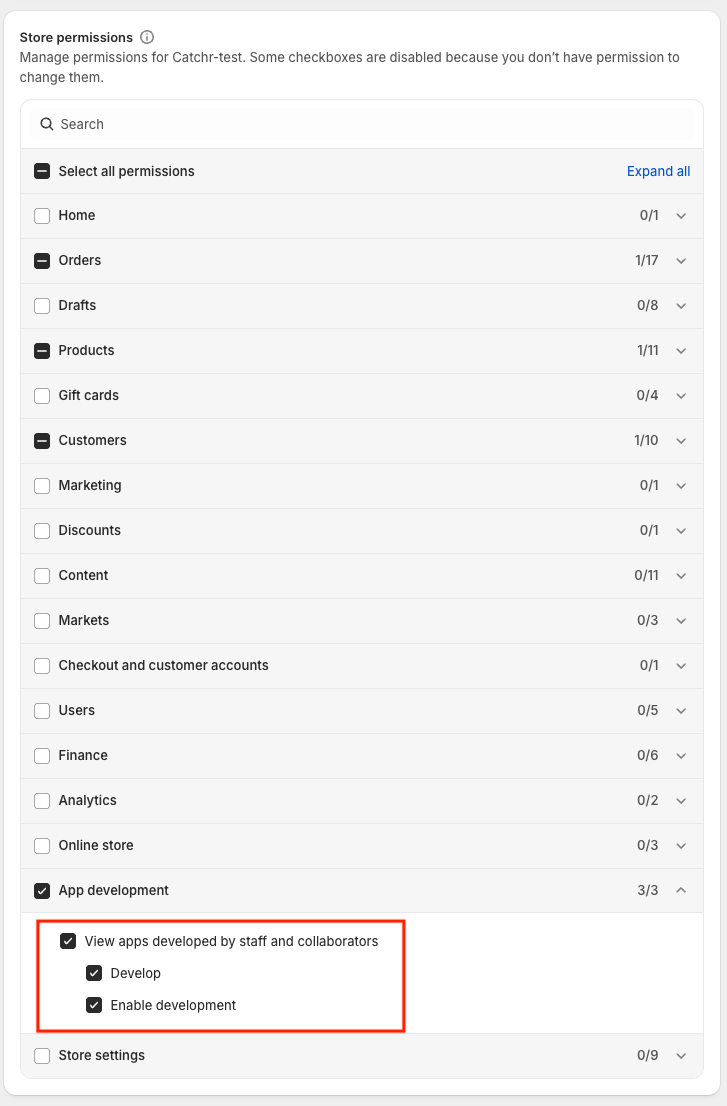
Create a Shopify custom app + generate an Admin API access token (Shopify often calls this “Develop apps” + enabling custom app development).
These steps must be done by the Store owner or a user who can manage users/roles.
In Shopify Admin, go to Settings → Users and permissions.
Click Add user (or Add staff) and enter the staff member’s email.
Assign a role (recommended: create a dedicated role like “Catchr – Shopify connector” so permissions are easy to audit).
Send an invite and have the staff member accept it.
Edit the staff user’s role and grant exactly the following permissions:
Orders → View
Products → View
Customers → View
App Development
View apps developed by staff and collaborators.
Develop
Enable development
In the role’s App and sales channel permissions section, grant:
Manage and install apps and channels
Approve app charges
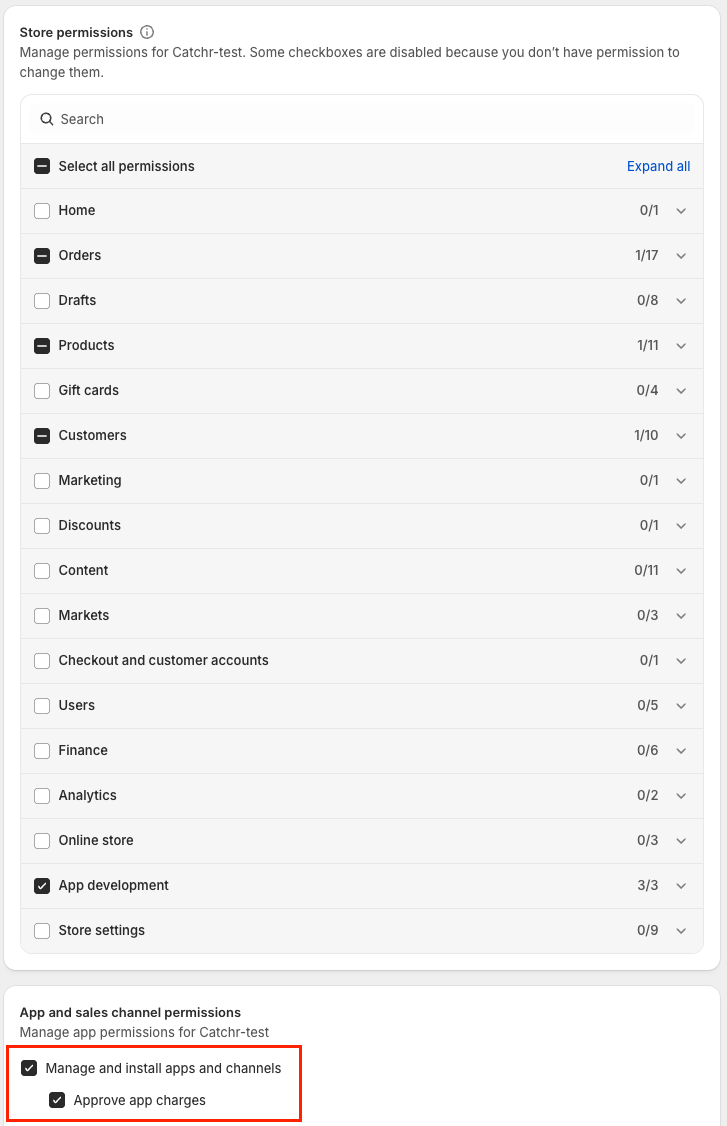
Shopify’s own guidance is that staff/collaborators need Develop apps to create/edit custom apps, and they also need the relevant store permissions to assign scopes (API permissions) for the data they will access.
Once permissions + development are enabled, the staff user can:
Go to Apps → Develop apps.
Click Create an app, name it (e.g., “Catchr”), and create it.
In the app, open Configure Admin API scopes and select read scopes that match the permissions above (read orders / returns / products / customers).
Install the app in the store.
In API credentials, copy the Admin API access token (this is the “API key” Catchr will use).
In Catchr:
Go to Sources → Add source → Shopify
Paste the required values (typically Shopify store domain + the Admin API access token from the custom app)
Staff user can’t see “Develop apps”: confirm the role has App development permissions and that Allow custom app development is enabled. Shopify Help Center+1
Can’t select the needed API scopes: the staff user is missing the related store permissions (Orders/Products/Customers → View) in their role.
“API credentials” missing / token not visible: ensure the app is installed and you’re in the correct custom app screen in Shopify admin (UI can differ by store/org).