This tutorial explains how to use the Citations tab to review which domains are cited in AI responses and how those citations are distributed across your monitor.
You will learn how to:
- Read top cited domains
- Understand citation share by domain
- Search and filter citation sources
- Review citation-level details
- You already created a monitor.
- You opened the monitor detail page.
- You selected the Citations tab.
The Citations tab helps you understand which sources are cited in collected AI responses.
Use this page when you want to know whether your brand's own domains are being cited and which external domains appear most often.
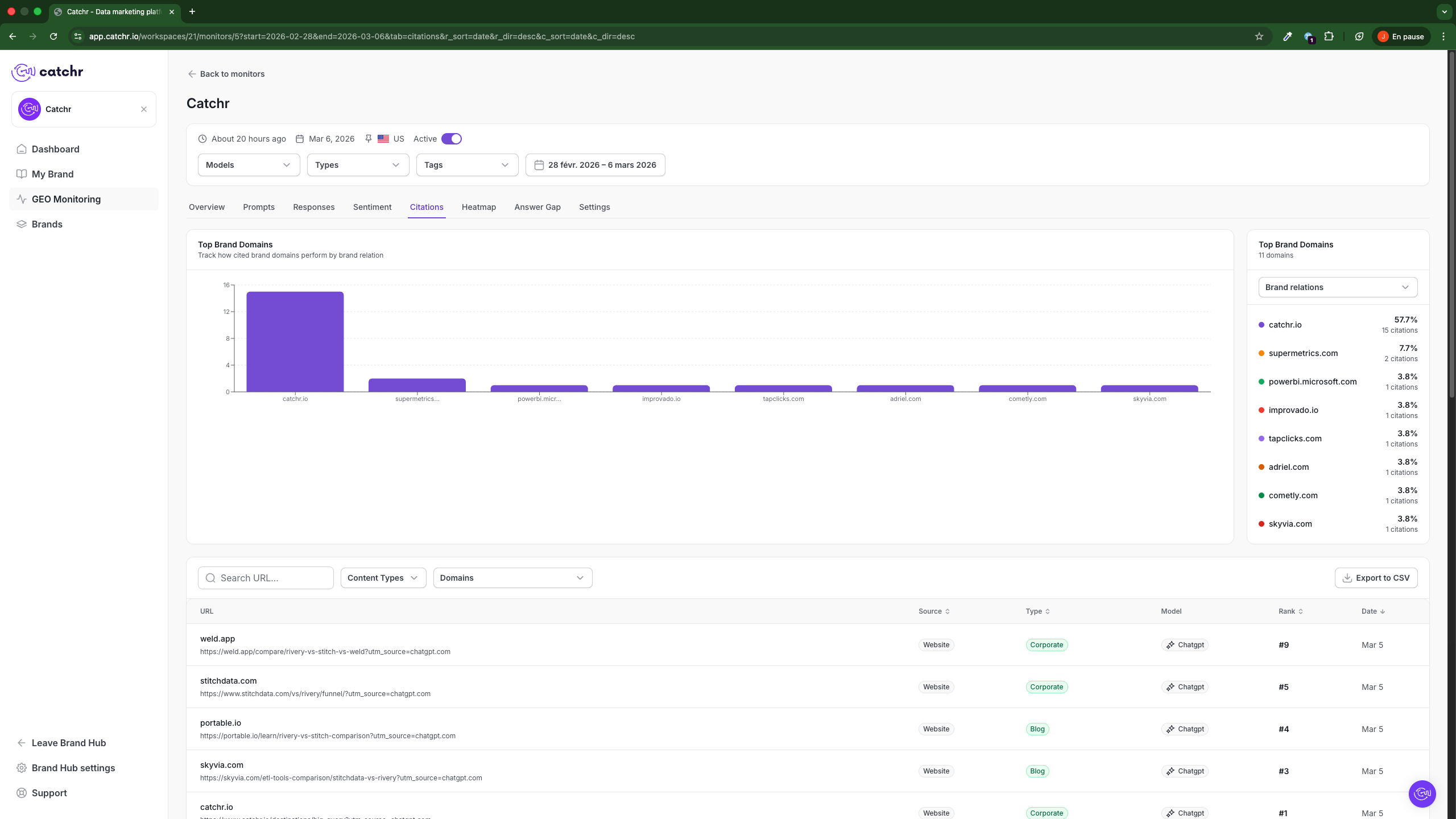
The Top Brand Domains chart shows which domains are cited most often in the selected period.
Use it to:
- Identify the domains most frequently referenced in AI responses
- Compare your own domain with competitor or partner domains
- Spot domains that dominate citation share
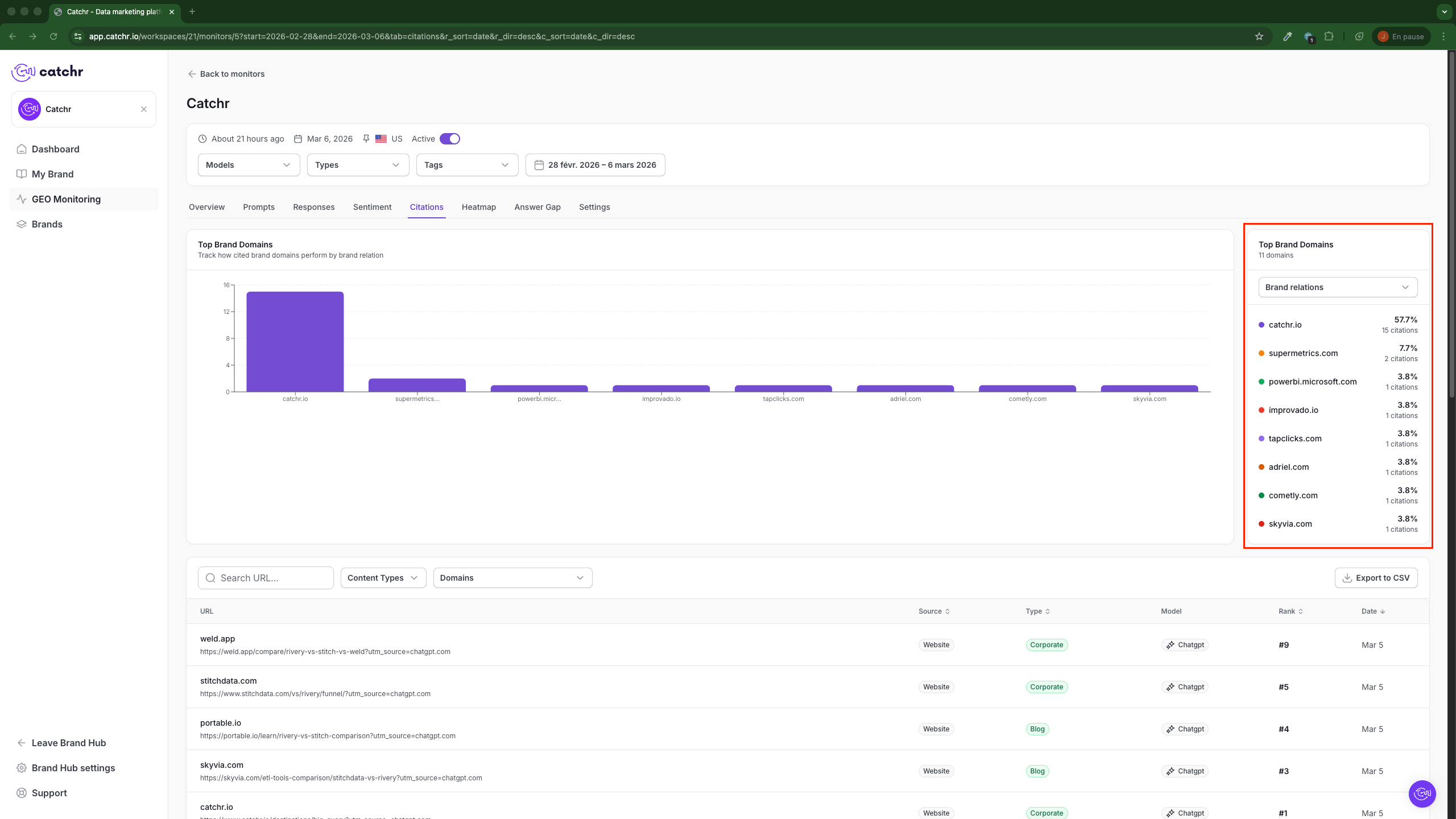
The panel on the right summarizes the same ranking with:
- Domain name
- Citation share percentage
- Number of citations
The Brand relations selector lets you change how the ranking is grouped or viewed.
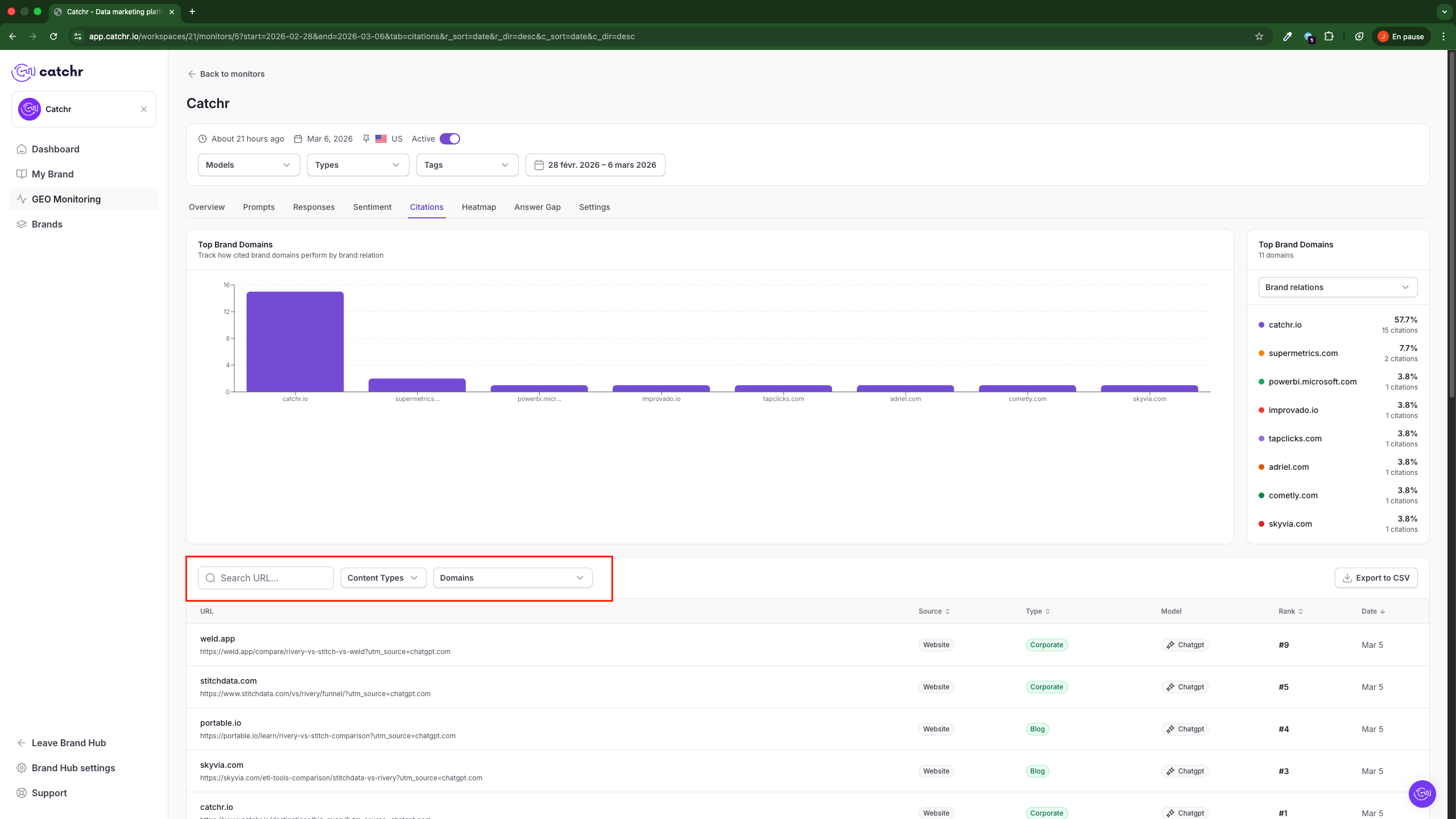
Below the chart, you can refine the citation list using:
- Search URL
- Content Types
- Domains
Use these controls when you want to isolate a specific page, domain, or content category.
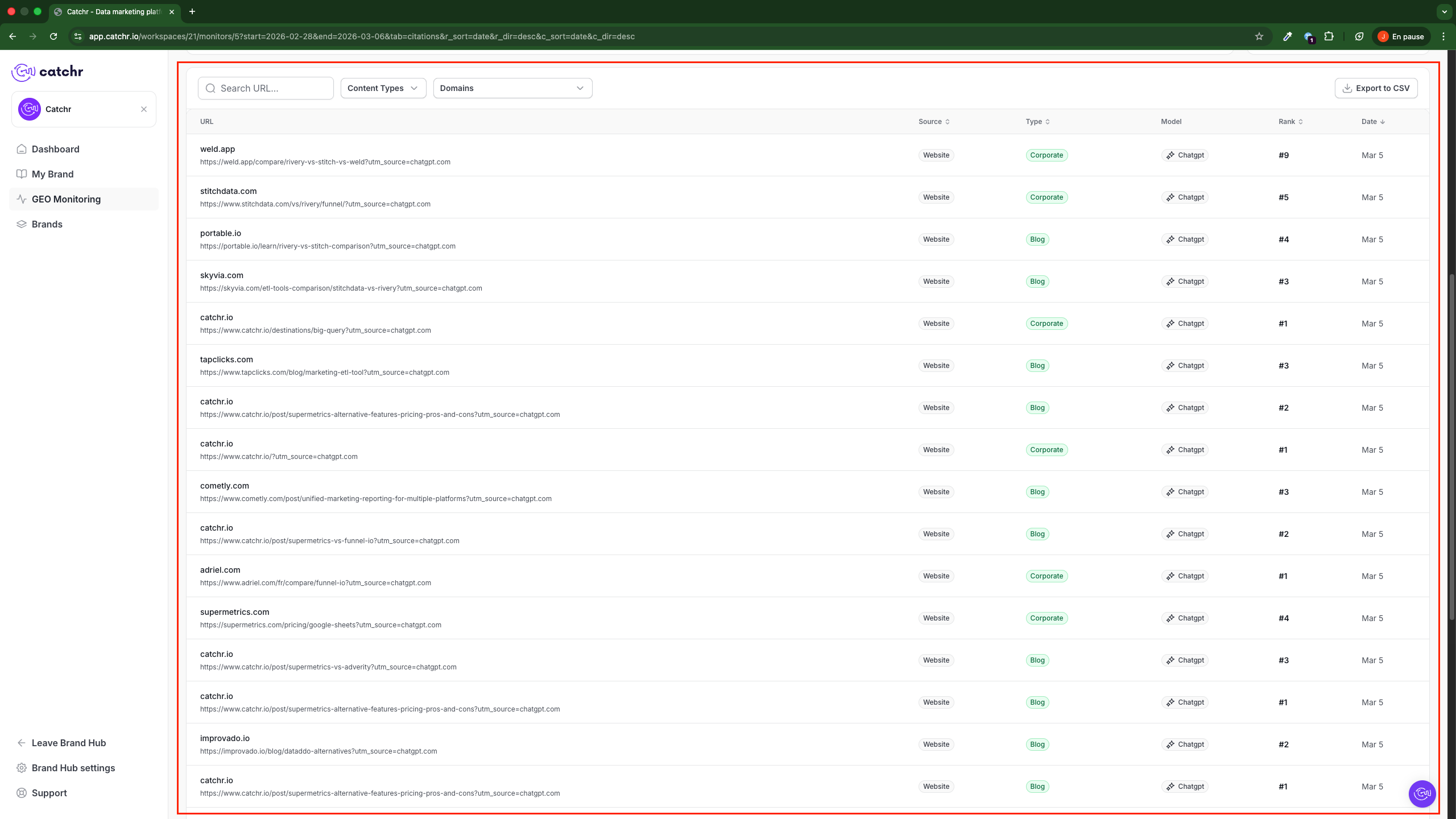
The citation table helps you inspect each cited source in detail.
For each citation, GEO shows:
- URL: the cited page
- Source: the source category, such as a website
- Type: the page type, such as blog or corporate
- Model: the AI model associated with the citation
- Rank: the citation position in the result list
- Date: when the citation was collected
Use this table to understand exactly which pages are being cited and how they are ranked.
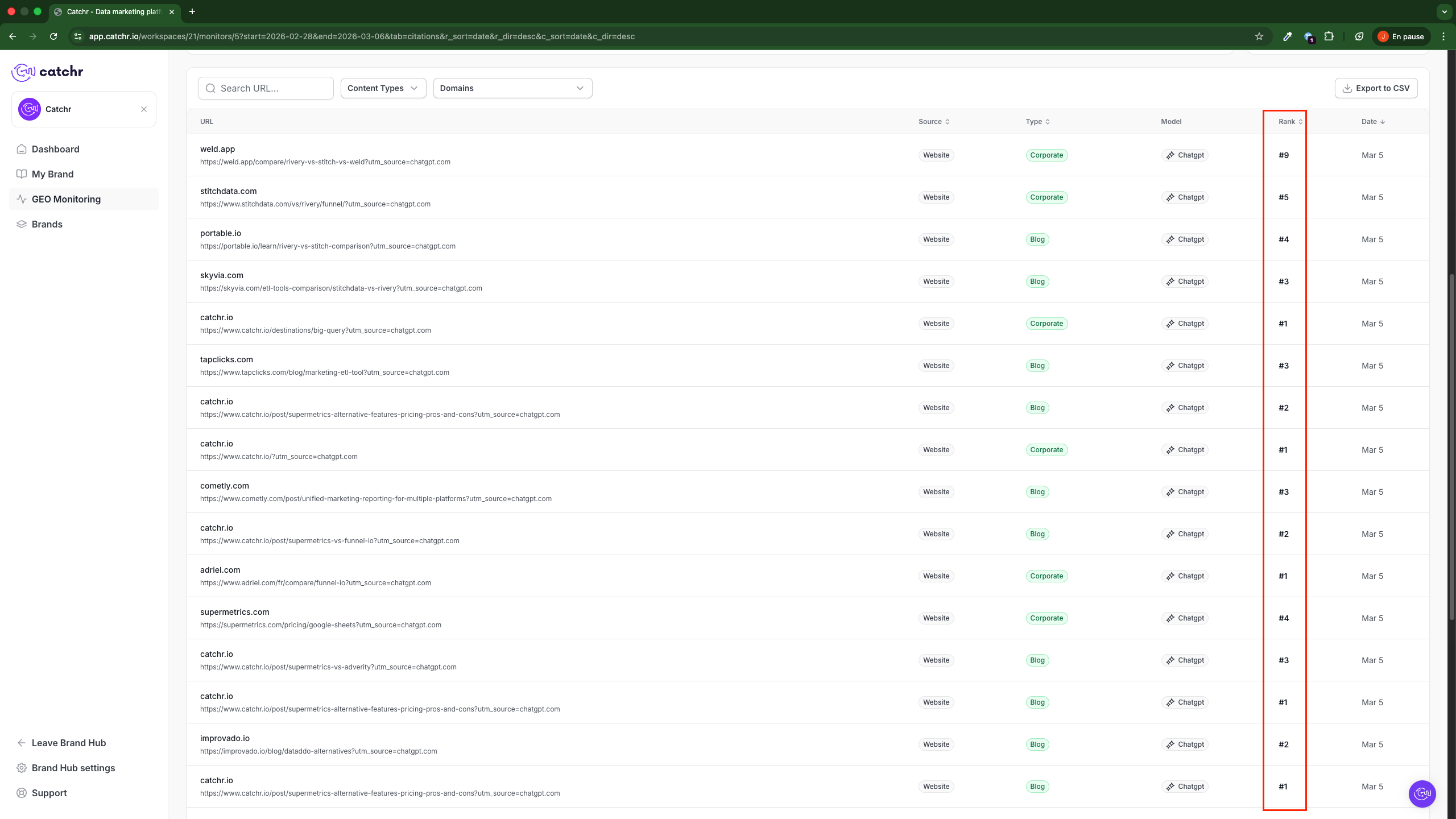
The Rank column helps you understand citation position for each source.
Lower rank numbers generally indicate stronger placement in the cited result set, for example:
- #1 means the source appeared in the first citation position
- #5 means the source appeared lower in the citation order
Use rank to compare how prominently your domain appears relative to other cited sources.
Use the chart, ranking panel, and table together to answer practical questions such as:
- Is Catchr's own domain being cited?
- Which competitor domains are cited most often?
- Which content types appear most in cited results?
- Are corporate pages or blog pages cited more often?
This tab is useful for understanding source attribution, not just brand mention.
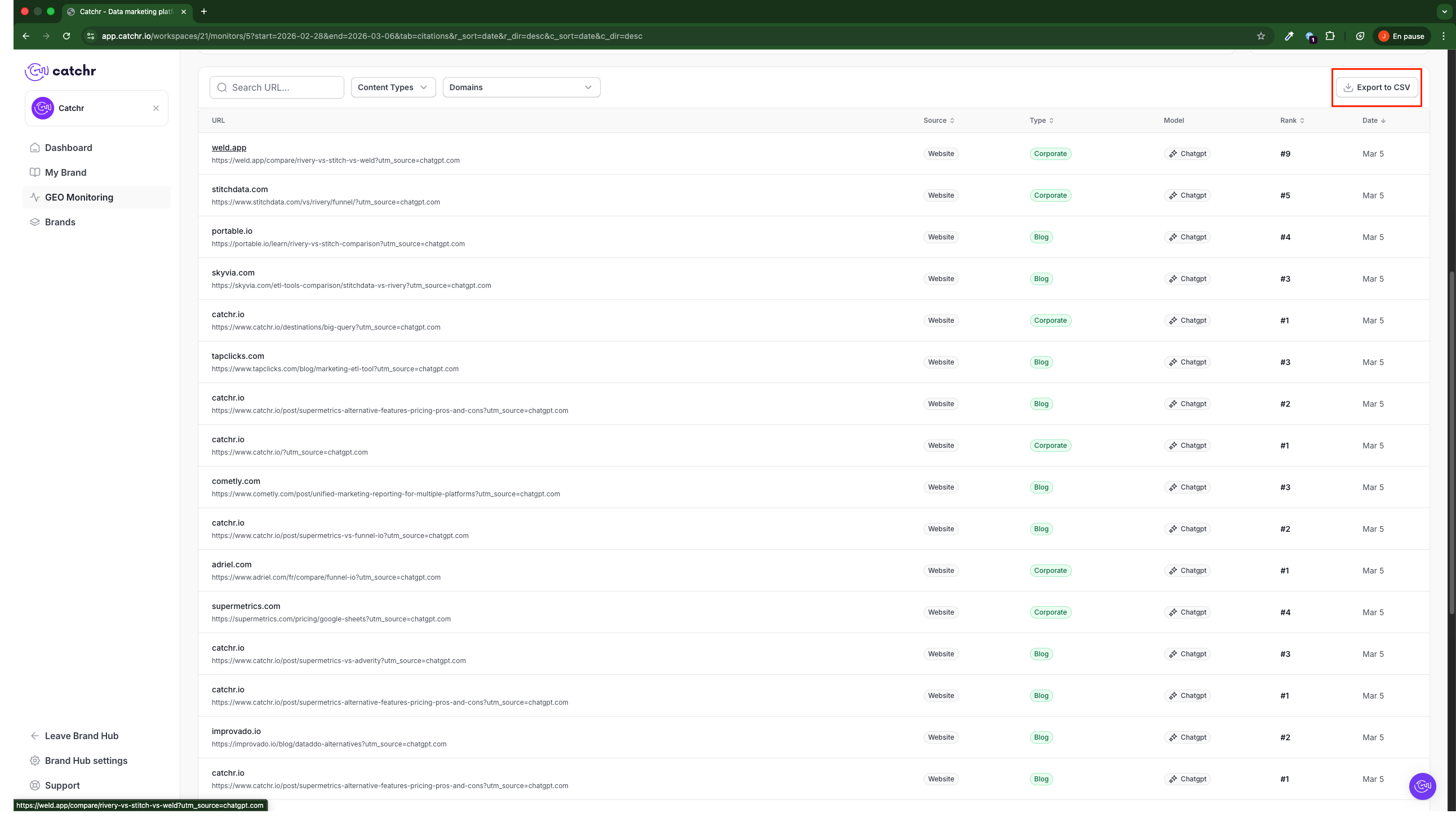
Use Export to CSV to download the current citation list.
This is useful when you want to analyze citation sources outside GEO or share source data with other teams.
- Start with Top Brand Domains to get the high-level picture.
- Use the ranking panel to compare citation share quickly.
- Filter the table by URL, domain, or content type when investigating a specific source.
- Use Rank to understand how prominently a page appears.
- Export the data if you need deeper analysis outside GEO.