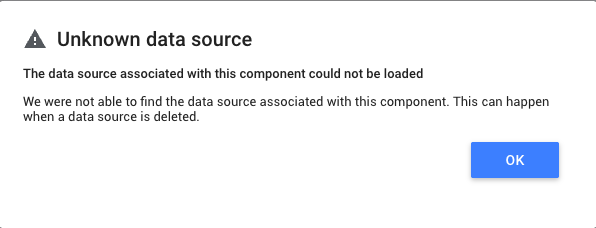
The error “Unknown data source” in Looker Studio means the report can no longer access the underlying data. In most cases, this happens because the Looker Studio data source is no longer properly connected to Catchr (source or account missing, disconnected, or not receiving queries).
Go to: https://app.catchr.io/sources
Make sure the Source still exists
Verify that the account linked to the Looker Studio data source still exists in this source.
If the account was removed or disconnected, refresh the Catchr Source authorization.
Go to: https://app.catchr.io/logs/extractions
Look at the table at the bottom of the page
Check if there are errors for your source/account
Possible cases:
 Errors appear → review the error message for details
 No errors and no queries → Looker Studio is not sending requests
If:
Your Catchr source and account are correctly set up
There are no errors in the logs
But the report still shows “Unknown data source.”
 Then the issue comes from Looker Studio: the data source is disconnected.
Common reasons include:
The Looker Studio data source was removed from the report
The Looker Studio data source was removed from specific charts
The report template was copied without properly connecting the account
Looker Studio randomly disconnected the data source (rare, but it can happen)
Someone accidentally deleted or modified the data source
Open your report
Go to Resource → Manage added data sources
Edit the data source, then click Edit connection at the top left
Verify that an account is correctly selected in the selector (if not, select one).
Reconnect the Catchr data source
If reconnection doesn’t work:
Create a new Looker Studio data source
Add it to your report
Replace the old data source in your charts
Right-click a chart
Click Select → Select all charts with this data source on page
In the right panel, change the data source for all selected charts
This error usually means Looker Studio lost the connection to Catchr.
Start by checking your Catchr source and logs, then reconnect or recreate the data source in Looker Studio if needed.